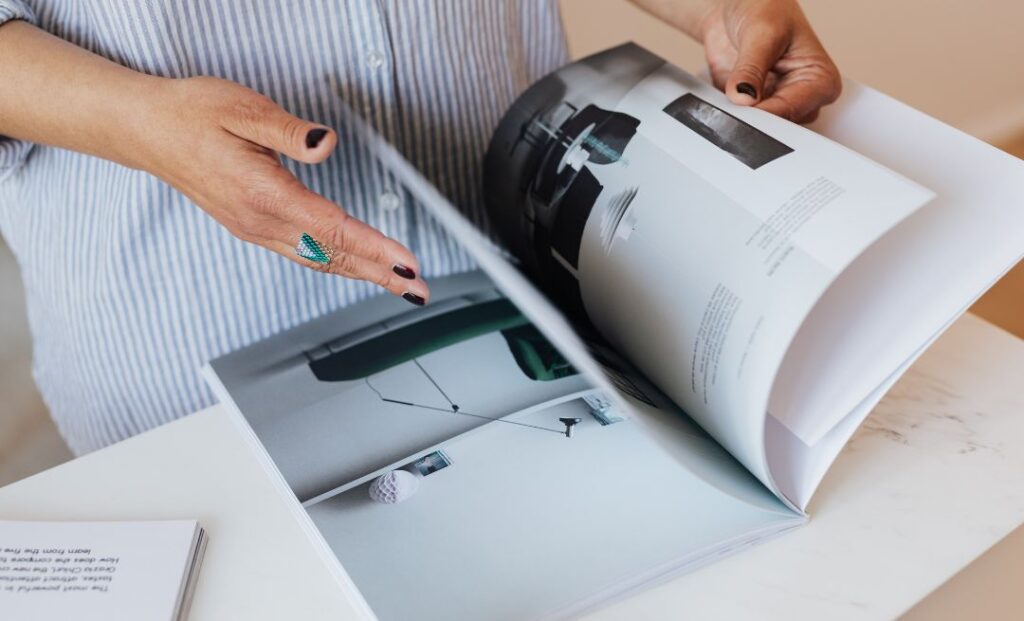
Good leaflet design makes a useful offer easy to understand. A reader should quickly recognise what you do, whether it is relevant and how to take the next step. Attractive colours help, but clarity has to lead the design.
For a local business, a leaflet also needs to explain your service area, provide reasons to trust you and make responding easy.
These leaflet design tips will help you brief a designer, review an existing leaflet or prepare your own artwork. Use them together: a strong headline cannot compensate for an unreadable phone number or an offer missing its essential conditions.
1 Start with one main objective
Decide what you want the recipient to do before arranging anything on the page. Calling about a quotation, placing an order and visiting a shop are different actions with different information needs.
Choose one as the main objective. You can still include supporting contact options, but the design should make the preferred next step obvious. Otherwise, several equally prominent messages can leave the reader unsure where to begin.
Write the objective in your design brief. When reviewing a draft, remove elements that add complexity without helping that decision.
2 Use a headline that identifies the offer
Your company name matters, but it may not explain the service to someone encountering you for the first time. Give the reader a clear headline that tells them why the leaflet deserves attention.
Be specific. A headline about local oven cleaning communicates more quickly than a vague statement about transforming lifestyles. If an offer leads the message, make the qualifying service equally clear.
Avoid trying to be clever at the expense of meaning. Humour or wordplay can work when it remains understandable, but recipients should not need to solve a puzzle. Check the headline with someone unfamiliar with your business before you approve the final artwork.
3 Build a clear reading order
Arrange the page so the eye can move naturally from headline to explanation, evidence and next step. Differences in size, weight and spacing help show which information matters most.
Leave room around the main message and group related information together. Avoid making everything equally bold, large or brightly coloured.
Review both sides of the leaflet. Someone may pick it up either way round, so neither side should feel anonymous. Include enough branding or context on the reverse for a reader to understand the connection without repeatedly turning the leaflet over.
4 Write for customers rather than your internal service list
Translate what you offer into the information a customer needs to make a decision. Explain the relevant work, who it suits and the practical benefit of contacting you.
Select the information needed for the next step and make further details easy to find online. Avoid compressing your entire website into a leaflet.
Replace empty claims with useful details. A clear description of the service area and quotation process tells the reader more than repeated promises of exceptional quality. Keep statements accurate and avoid presenting aspirations as established facts.
5 Make the offer and its conditions readable
An offer should be understandable without a phone call to discover the restrictions. If a price depends on size, quantity or a particular service, explain the important qualifications near it.
Use a genuine deadline when one is needed, and allow for the whole delivery window. Recipients should have a realistic opportunity to respond after receiving the leaflet.
Check that the promotion makes commercial sense for your business. A striking discount can generate unsuitable enquiries or attract work with little margin. Design should present a sound offer clearly; it should not disguise an offer that only works under circumstances customers are unlikely to meet.
6 Choose images that help explain the service
An image should add meaning. A relevant photograph can show the type of work, illustrate a product or make the offer easier to picture. A generic decorative image may use valuable space without helping the reader decide.
Use images you have the right to publish. If you show completed work, ensure the photograph represents what you actually provided. Do not present stock imagery as evidence of your own projects.
Ask the printer about suitable image quality for the final size. A photograph that looks acceptable in a small screen preview may appear soft when enlarged. Check the crop as well, particularly around products, faces and any details essential to understanding the image.
7 Use fonts and colour for readability
Keep the number of font styles limited and use consistent treatments for headings, body text and contact details. Familiarity across the page helps the reader recognise what each section is doing.
Choose strong contrast between text and background. Text over a busy photograph can become difficult to read even when the colours look attractive. Small print needs particular attention because a pale colour or thin font can make it effectively disappear.
Print a proof at actual size. Screen zoom can hide readability problems, especially with menus or detailed terms. Ask someone else to read the essential information without prompting them or explaining where to look.
8 Include genuine reasons to trust the business
Relevant evidence can help a recipient feel comfortable making contact. That might include a real customer quotation, an accurate description of your experience or a photograph of work you can substantiate.
Only include memberships, qualifications and logos you are entitled to use. Avoid adding badges simply because they make the design look established. Check that any review is quoted accurately and used appropriately.
Make the business identifiable. Clear naming, consistent branding and accessible contact information support trust in a practical way. A leaflet full of broad promises but little information about the actual business leaves readers with unnecessary questions.
9 Make responding straightforward
Place your main call to action where it is easy to see. Use direct wording such as calling to request an estimate or scanning to view the relevant menu. Explain what happens next where that helps remove uncertainty.
If you use a QR code, test it from a printed proof on more than one phone. Check the destination, readability and the space around the code. Include a readable alternative address for people who prefer to type or cannot scan it.
Keep the destination consistent with the leaflet. A service offer should lead to information about that service, with a working contact route. Test the form, confirmation and notification before distribution starts.
10 Approve the production details as carefully as the layout
Ask the printer for the required artwork specification, including bleed, safe areas, file format and colour requirements. Use their template rather than assuming one set of settings suits every product.
Check spelling, prices, telephone numbers, addresses and dates separately from the visual review. Read important details aloud or have a second person check them. Small factual errors can undermine an otherwise strong design.
Confirm the finished size and any folds before approving production. Make sure text does not sit where it may be trimmed or obscured. Once the leaflet is printed, corrections can mean replacing the stock, so proofing deserves a deliberate final check.
Review the leaflet as part of the whole campaign
Before signing off, look at the leaflet alongside the delivery plan and response process. Does the service area match the selected streets? Will the offer still be available when delivery finishes? Is someone ready to handle enquiries?
Keep the approved artwork version with your campaign records. If you test a different headline or offer later, identify the versions clearly so you can compare results without confusion.
For help bringing your campaign together, explore our leaflet printing and distribution services or get in touch. Start with your audience and objective, then choose a design that makes the next step clear.
Frequently asked questions
What should I include on a business leaflet?
Include a clear service or offer, your business name, relevant benefits, service area and an obvious contact route. Add genuine evidence and important conditions where needed. The exact content depends on the campaign objective. Prioritise what helps someone decide and respond rather than including every detail about the business.
Should my leaflet be single or double sided?
Use the space the message needs. Two sides can separate an introduction from supporting details or a menu, but they should remain connected and clearly branded. Do not add content simply to fill the reverse. Compare production costs and readability before deciding which version best supports your offer.
Does a leaflet need a QR code?
A QR code is useful when it leads to something relevant, such as a booking page or menu. It is optional rather than a design requirement. Include an alternative contact route, test the printed code and make sure the destination works well on a phone before the campaign begins.
Can I design my own leaflet?
Yes, provided you can create clear artwork that meets the printer’s requirements. Use the correct size and template, choose suitable images and check the design at actual size. If the layout is difficult to read or production settings are unfamiliar, professional support can help prevent an expensive reprint.
What is the most common leaflet design mistake?
Trying to communicate too much is a frequent problem. Several offers, small text and competing calls to action can make the main message hard to find. Start with one objective, remove unnecessary detail and test whether someone unfamiliar with the business can understand the offer quickly.